

About the Project
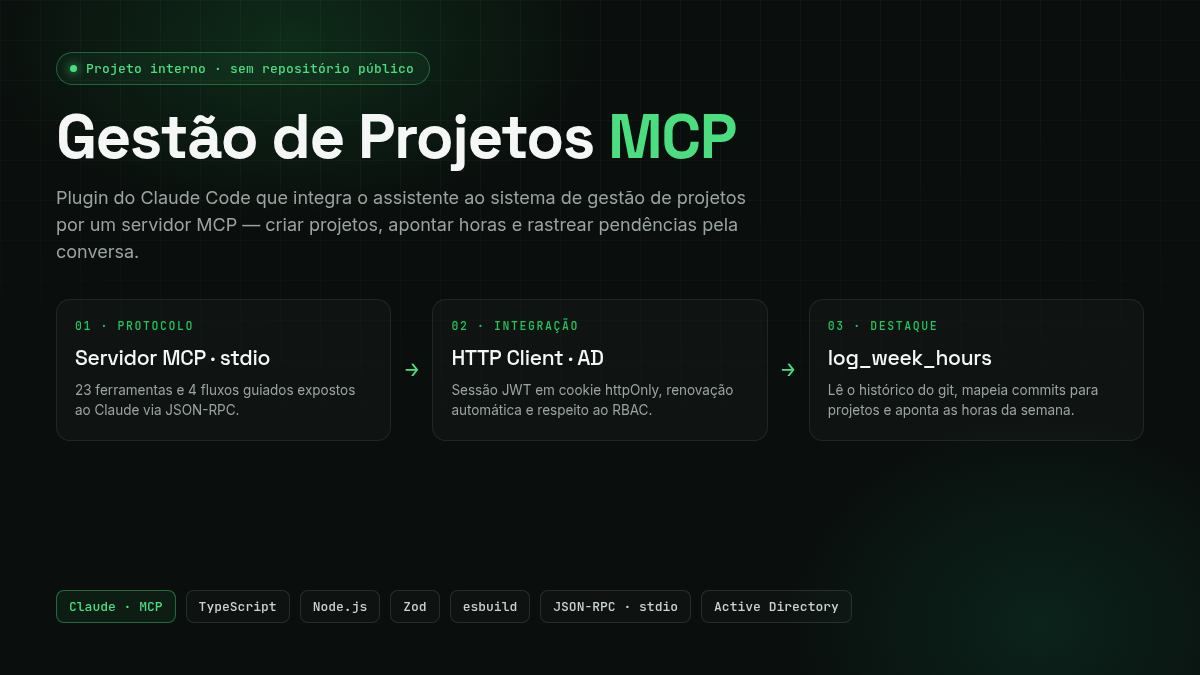
Gestão de Projetos MCP is a Claude Code plugin that connects the AI assistant to Grupo Koch's internal Project Management system. Instead of opening the web interface for every task, the user has a conversation with Claude and it performs the actions in the system — creating projects, opening activities, logging hours, recording blockers, advancing the workflow — through an MCP (Model Context Protocol) server written in TypeScript.
⚠️ Internal integration — no public link. Because this connects to a real corporate system (authenticated with network credentials and containing company project data), there is no public URL or open repository available. This post describes the architecture, protocol, guided flows, and design decisions in an anonymized way — without exposing internal endpoints, credentials, or sensitive data.
The plugin packages three things into a single installable artifact:
- An MCP server (Node.js/TypeScript) that exposes 39 tools and 4 guided flows.
- An authenticated HTTP client for the Project Management REST API, with session management and automatic renewal.
- A skill in Portuguese containing business rules, lifecycle definitions, and usage best practices.
The Problem
Internal project management systems hold a lot of value, but they extract a price in friction: every simple action — logging the week's hours, opening a blocker, moving a stage — requires navigating screens, filling out forms, and remembering mandatory fields. The typical result is something every manager knows:
- Late time tracking, done from memory on Friday afternoon.
- Unlogged blockers, which only become a problem once they're already blocking.
- Lost context between the actual work (the commits, what was delivered) and what ends up in the system.
The plugin's premise is to bring the system into the conversation. Since the developer already works in the terminal with Claude Code, it makes sense to be able to say "log my hours for this week based on my commits" and have the assistant handle the rest — querying the API, mapping the work, creating whatever's missing, and confirming before saving.
What MCP Is
The Model Context Protocol is an open standard that lets an AI assistant discover and call external tools in a structured way. Each tool declares its input schema (validated here with Zod), and the model decides which one to call and with what arguments. Beyond tools, MCP supports prompts — guided, reusable flows that orchestrate multiple calls in a sequence with confirmation steps.
In this project the server speaks MCP over stdio (the process's stdin/stdout): Claude Code starts the plugin's Node process and exchanges JSON-RPC messages with it. Nothing is exposed over the network.
Architecture
The plugin cleanly separates the protocol (the MCP tools the model sees) from the transport (the authenticated HTTP client that talks to the corporate API).
Tool layer
The 39 tools are organized by domain, one "family" per file:
- reference (7) — support queries: current user and permissions (
auth_me), people search in AD (directory_search), current accounting week (config_current_week), areas (area_list), strategic objectives (objective_list), and workflow templates (workflow_template_list/get). - projects (10) — project lifecycle:
project_create,project_list,project_get, status transitions (project_status_set,project_status_history), members (project_members_add/list), sponsors (project_sponsors_add), and workflow (project_workflow_get,project_workflow_stage_complete). - activities (6) — project activities: create, list, get, start, complete, and reopen (
project_activities_*). - hours (5) — time tracking: log hours (
project_hours_register), query by project (project_hours_list,project_hours_actual), the weekly summary per user (hours_weekly_summary), and a cross-project listing (hours_list) for anyone who needs visibility beyond a single project. - pendencies (8) — issues/blockers: create, list, get, update, and transition (
project_pendencies_start/resolve/cancel), plus the cross-project counterpartpendencies_list. - evaluation (3) — WSJF (Weighted Shortest Job First) prioritization: set and query project scoring (
project_evaluation_set/get) and list available models (evaluation_model_list).
HTTP layer
The api-client is an authenticated REST client that abstracts the API session. The API only hands out tokens via Set-Cookie (access_token + refresh_token), so auth-session reads them and resends them manually as a Cookie header on every request — the plugin runtime's HTTP client doesn't persist cookies on its own. When a call returns 401, the client first tries refresh() (rotating the tokens with the current refresh_token); if there's no valid refresh, it logs in again with the Active Directory credentials — either way, the original request is retried once. Permission errors (403) never enter that retry path: they're surfaced as clear messages — the server respects the user's RBAC and never tries to work around a denied authorization.
Guided Flows (Prompts)
What sets this apart from "just an API wrapper" are the prompts — scripts that coordinate multiple calls with validations and human confirmation in between. There are four:
- create_project — guides the full creation process: infers name and description, has the user choose an active leaf area (
area_listwithonlyLeaf=true, rejecting grouping areas), offers a strategic objective and manager, allows adding a sponsor via AD search and filling in the WSJF evaluation — always showing the exact payload and asking for confirmation before saving. - create_activity — creates an activity in a project, with title, description, due date (must be in the future), complexity, and estimated hours.
- create_pendency — opens a blocker (type: scope, deadline, cost, quality, technical, external dependency; severity from low to critical).
- log_week_hours — the most sophisticated flow, detailed below.
Highlight: log_week_hours
This prompt closes the gap between work done and work recorded. Instead of the developer trying to remember what they did, they start from the source of truth: the git history.
- Defines the window (current accounting week, Friday to Thursday, or a custom range).
- Runs
git loglocally and groups commits by day. - Asks the user how many hours they have available for project work on each day.
- Maps each work group to an existing project/activity — and if there's no match, proposes creating the project (following the
create_projectrules) and/or the activity, always with confirmation. - Distributes the hours in a balanced way across activities and days, respecting the daily cap.
- Logs the hours (
project_hours_register) with a day description derived from the commits. - Completes activities that represent finished work and reports everything: projects created, activities created, and hours per day.
Time tracking stops being a tedious manual task and becomes a confirmation of something the assistant has already assembled from real evidence.
Prioritization with WSJF
The system uses WSJF (Weighted Shortest Job First) to prioritize initiatives. The plugin exposes this during project creation and editing through four dimensions (scale of 1 to 10):
- Value — business value of the delivery.
- Urgency — time criticality (cost of delay).
- Risk — risk reduction or opportunity enablement.
- Effort — size of the work (the higher the effort, the lower the final score).
The score calculation and derived priority are done on the backend, according to the active model (with its weights and thresholds) — the plugin only collects the four scores and queries evaluation_model_list to explain the model in use. Keeping the formula on the server ensures everyone prioritizes by the same criteria.
Configuration and Distribution
As a Claude Code plugin, configuration is declarative. The plugin.json defines the userConfig that Claude Code presents to the user during installation:
gp_username/gp_password— network credentials (AD). The password is marked assensitive, so it doesn't appear in chat or in logs.gp_api_base_url— API endpoint (production by default; staging for testing).
These variables are injected into the MCP server process via .mcp.json, which starts dist/index.js with type: "stdio". The build is done with esbuild (single ESM bundle), keeping the installation lightweight and requiring no npm install on the client.
Key Challenges
- Designing tools at the right granularity. Each tool needs to be specific enough for the model to choose confidently, but general enough not to explode into dozens of variations. Splitting by domain (project, activity, hour, blocker) and by verb (create, start, complete, reopen) was the right balance — 39 tools that cover the lifecycle without ambiguity, including cross-project variants (
hours_list,pendencies_list) for anyone who needs visibility beyond a single project. - Transparent session renewal. The API only hands out tokens via cookie, with no ready-made session SDK; letting the model deal with "your session expired" would be a terrible experience.
auth-sessionstores the cookies manually and, on a 401, triesrefresh()before falling back to a fresh login — the tool simply works, even after an idle period, with the model never noticing the token swap underneath. - Respecting RBAC without frustrating the user. Not every user can do everything. Rather than attempting actions that will fail, the server surfaces the
403as a clear message and the assistant informs the user that this action requires a permission they don't have — it never insists or tries to work around it. - Orchestrating
log_week_hourswith confirmation. Automating time tracking is useful, but logging wrong hours is worse than not logging at all. The flow always shows the plan (commit mapping, hour distribution, projects/activities to create) and waits for confirmation before any write. - Strong validation at the boundary. Every argument entering a tool passes through a Zod schema, which turns ambiguous model inputs into explicit, early errors rather than malformed requests to the API.
Technologies Used
- TypeScript / Node.js — MCP server and HTTP client.
- @modelcontextprotocol/sdk — protocol implementation (tools, prompts, stdio transport).
- Zod — schema validation on all tool inputs.
- esbuild — single ESM bundle for lightweight plugin distribution.
- ESLint + Prettier — code style and quality.
- Active Directory + JWT (httpOnly cookie) — authentication and session against the corporate API.
Technical Notes
- Protocol separated from transport. The MCP tools know nothing about HTTP; the
api-clientknows nothing about MCP. This separation keeps both layers independently testable and replaceable. - Prompts as "product." Tools are the mechanics; prompts (
create_project,log_week_hours) are the experience. The business rules live in them — which fields to ask for, in what order, what to confirm — and that's what turns loose API calls into a flow that actually makes sense to the user. - Security by design. Credentials via
userConfig(marked assensitive), session in an httpOnly cookie, server-side RBAC respected, and no network exposure (stdio). The assistant operates with exactly the user's permissions — no more, no less. - Anonymization. Internal endpoints, API schema, system names, and infrastructure details have been deliberately omitted from this post — the focus is the integration engineering, not the corporate data.