
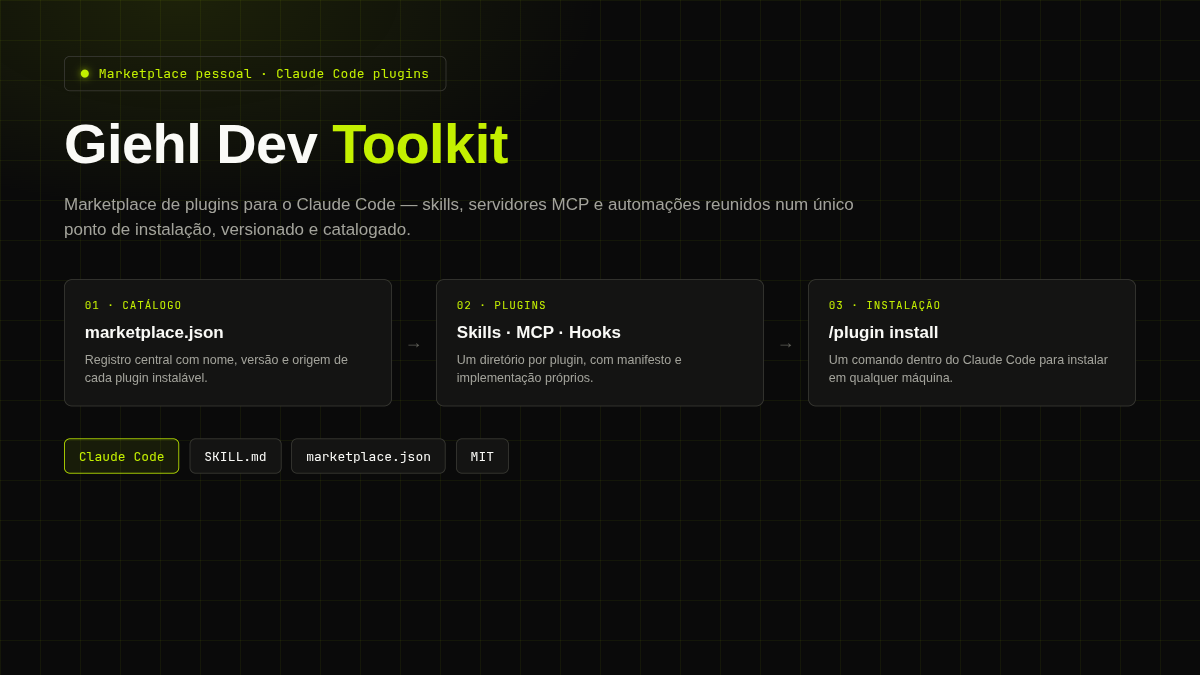

About the Project
Giehl Dev Toolkit is a personal plugin marketplace for Claude Code. Instead of manually copying skill files, MCP configurations, and commands between machines and projects, the repository centralizes everything into a single installable catalog with one command: claude plugin marketplace add + /plugin install.
The repository is public and available at github.com/cristiangiehl1/giehl-dev-toolkit.
The Problem
Working with Claude Code every day eventually produces a set of patterns worth reusing: how to structure a system prompt, commit conventions, a code review flow. Without a central place for this, the usual path is one of two bad options:
- Copy-pasting skill files from one project to another, losing track of which version lives where.
- Rewriting from scratch the same pattern on another machine or a new project, because finding the original file takes more effort than retyping it.
A plugin marketplace solves this at the root: each pattern becomes a versioned plugin, cataloged once, installable in any project or machine with a single command.
Architecture
The repository follows the standard Claude Code marketplace structure: a catalog at the root and one directory per plugin.
.claude-plugin/marketplace.json— the catalog. Each entry registersname,displayName,description,version(SemVer),author,license,source(path to the plugin directory), andkeywordsfor discovery.plugins/<plugin-name>/— one directory per plugin, containing its manifest (SKILL.mdwith frontmatter, orplugin.json) and the implementation of the skill, command, subagent, or hook.
Published plugin: structured-prompt-engineering
The marketplace's first plugin documents a pattern for writing LLM prompts as serialized objects (JSON.stringify) instead of plain text — a technique that is framework-agnostic (works with LangChain, the Vercel AI SDK, or a direct call to an LLM API).
The skill covers:
- The anatomy of
getSystemPrompt(receives only what changes per session/config — never the current turn's message) andgetUserPromptTemplate(receives the current turn's input and repeats the relevant instruction, reducing drift in long conversations). - Recurring sections that work well inside the object:
role,tarefas/task,regras/rules,extraction_instructions,examples/exemplos. - The parametrization rule: if a value changes between calls (catalog data, user context, current message), it's a function parameter — never a literal hardcoded inside the object.
- A set of do's and don'ts derived from real production prompts, highlighting the most common and most silent error: the model confusing "what the user said" with "what the AI itself recommended" during preference extraction.
references/examples.mdwith 4 complete, annotated examples ofgetSystemPrompt/getUserPromptTemplate+ schema, covering preference extraction, intent classification, message generation, and conversation summarization.
Conventions and Contribution Flow
The README.md documents the process for adding a new plugin to the marketplace:
- Create a directory under
plugins/<plugin-name>/. - Add the manifest (
SKILL.mdwith frontmatter, orplugin.json) describing name, description, and usage. - Register the plugin in
.claude-plugin/marketplace.json, includingname,version, andsource. - Test locally with
claude plugin marketplace add /local/pathbefore publishing.
Conventions fixed in the README: plugin names in kebab-case, versioning by SemVer, and an objective description plus a usage example for each plugin. Relevant releases are tagged with Git tags (git tag vX.Y.Z).
Key Challenges
- Deciding what belongs in the skill body versus
references/. A skill needs to fit in a context the model loads entirely; extensive supporting content (like the 4 complete few-shot examples) was split intoreferences/examples.md, referenced fromSKILL.mdinstead of inflating the skill's main body. - Writing the frontmatter
descriptionas a trigger, not a summary. Thedescriptionfield inSKILL.mdis what Claude uses to decide when to load the skill — it needs to explicitly list the phrases and situations that should trigger its use, not just describe the content. - Keeping the catalog and directories in sync. As the marketplace grows, the risk is registering a plugin in
marketplace.jsonwith asourcethat doesn't match the actual directory, or forgetting to bump theversionafter a relevant change — hence the convention of always testing with a localclaude plugin marketplace addbefore publishing.
Technologies Used
- Claude Code — the marketplace's and plugins' target platform.
- Markdown + YAML frontmatter — the format for skill manifests (
SKILL.md). - JSON — the marketplace catalog (
marketplace.json). - Git + SemVer — versioning and distribution via tags.
Technical Notes
- Marketplace as personal infrastructure, not a product. The README's stated goal is to have "a single installation point" for the author's own development patterns — the initial target audience is the author himself, across different machines and projects.
- Minimal surface by design. No build step, no runtime dependencies: each plugin is static markdown and/or JSON, which keeps installation instant and the repository auditable line by line.